 ADevGuide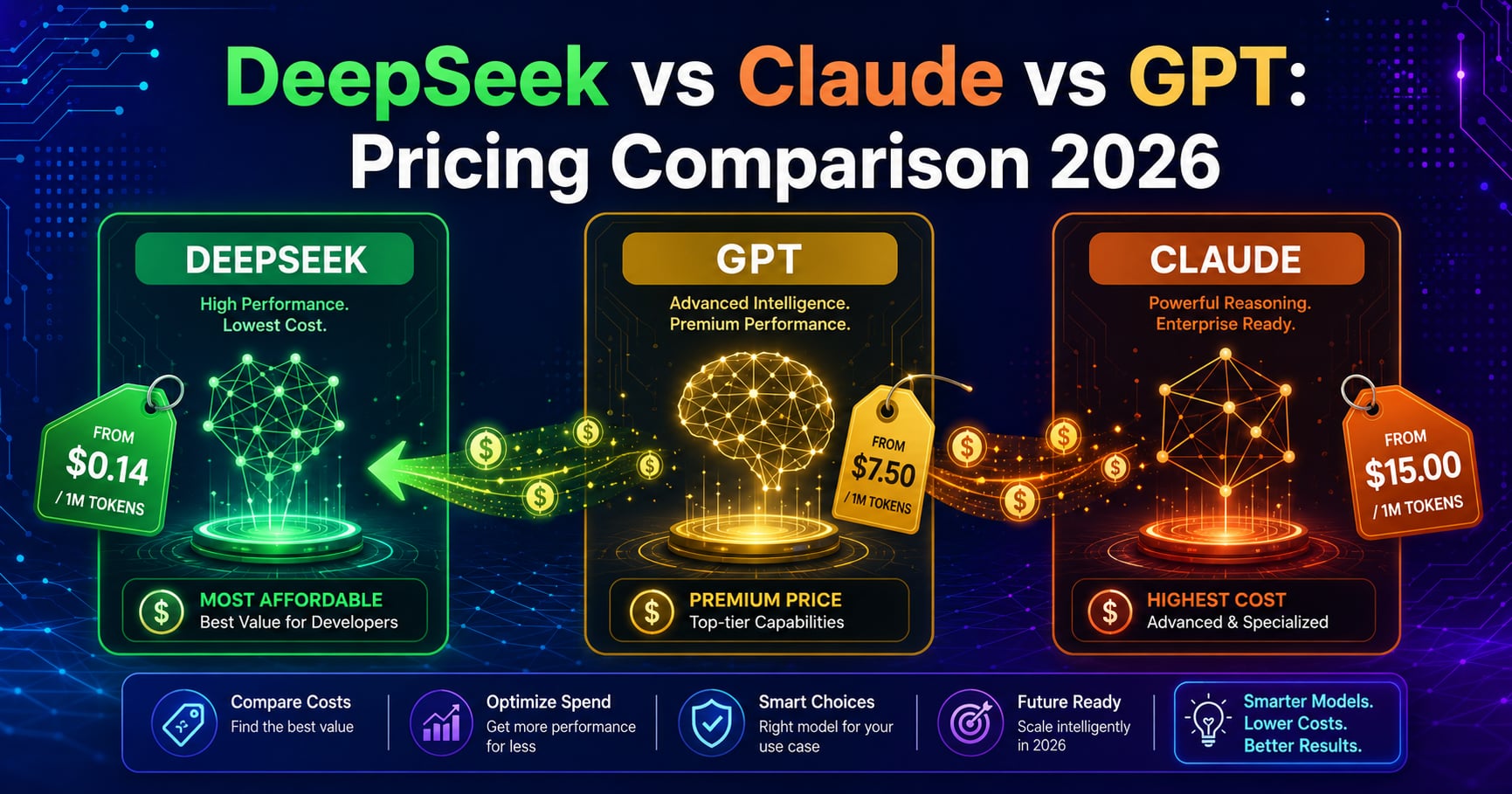
You’re building a chatbot that processes 10 million tokens daily. With Claude Sonnet 4.5, that’s $90/day ($2,700/month). With DeepSeek-V4-Flash, it’s just $2.10/day ($63/month). That’s a 97.7% cost reduction.
AI model pricing has become a critical factor for developers and businesses scaling AI-powered applications. DeepSeek’s public API lineup changed on April 24, 2026 with DeepSeek-V4-Flash and DeepSeek-V4-Pro, so older comparisons that only mention V3 or deepseek-chat are already stale. This guide updates the pricing comparison, migration examples, and model naming so you can compare current DeepSeek, Claude, and GPT API options more accurately.
Table of Contents
Open Table of Contents
Quick Pricing Overview
Here’s the bottom line comparison for 100,000 total tokens using a simple 50/50 split between input and output:
| Model | Input Cost | Output Cost | Total (50/50 split) | Cost Difference |
|---|---|---|---|---|
| DeepSeek-V4-Flash | $0.014 | $0.028 | $0.021 | Baseline |
| DeepSeek-V4-Pro | $0.044 | $0.087 | $0.065 | 3.1x more |
| GPT-4.1 mini | $0.020 | $0.080 | $0.100 | 4.8x more |
| GPT-4o | $0.250 | $1.000 | $0.625 | 29x more |
| Claude Haiku 4.5 | $0.100 | $0.500 | $0.300 | 14x more |
| Claude Sonnet 4.5 | $0.300 | $1.500 | $0.900 | 43x more |
| GPT-4.1 | $0.100 | $0.400 | $0.500 | 24x more |
| Claude Opus 4.5 | $0.500 | $2.500 | $1.500 | 71x more |
Key Takeaway: DeepSeek-V4-Flash remains the low-cost leader in this comparison, while DeepSeek-V4-Pro still undercuts GPT-4o and Claude Sonnet 4.5 by a wide margin.
Detailed Pricing Breakdown by Model
DeepSeek Models
DeepSeek’s current public API lineup centers on V4:
DeepSeek-V4-Flash (Best default for cost-sensitive apps)
- Input: $0.14 per million tokens
- Output: $0.28 per million tokens
- Context Window: 1M tokens
- Max Output: 384K tokens
- Best For: General chat, tool calling, structured output, high-volume apps
DeepSeek-V4-Pro (Higher-end quality, still cheaper than most premium APIs)
- Input: $0.435 per million tokens
- Output: $0.87 per million tokens
- Context Window: 1M tokens
- Max Output: 384K tokens
- Best For: Harder reasoning, coding, and agent workflows where you want better quality without jumping to the highest-priced models
Compatibility Note: The legacy model IDs deepseek-chat and deepseek-reasoner still work for now, but DeepSeek says they map to V4-Flash modes and are planned for deprecation on July 24, 2026.
OpenAI GPT Models
GPT-4.1
- Input: $2.00 per million tokens
- Output: $8.00 per million tokens
- Context Window: 1M tokens
- Strength: Strong general-purpose quality, tool use, long-context tasks
GPT-4o
- Input: $2.50 per million tokens
- Output: $10.00 per million tokens
- Context Window: 128K tokens
- Strength: Balanced cost-performance, multimodal
GPT-4.1 mini
- Input: $0.40 per million tokens
- Output: $1.60 per million tokens
- Context Window: 1M tokens
- Strength: Lower-cost general-purpose GPT option
Anthropic Claude Models
Claude Sonnet 4.5
- Input: $3.00 per million tokens
- Output: $15.00 per million tokens
- Context Window: 200K tokens
- Strength: Long-context understanding, analysis
Claude Opus 4.5
- Input: $5.00 per million tokens
- Output: $25.00 per million tokens
- Context Window: 200K tokens
- Strength: Highest accuracy, complex reasoning
Claude Haiku 4.5
- Input: $1.00 per million tokens
- Output: $5.00 per million tokens
- Context Window: 200K tokens
- Strength: Speed, affordability
Real-World Cost Comparison Examples
Let’s calculate actual costs for common AI application scenarios.
Example 1: Customer Support Chatbot
Requirements:
- 100,000 user conversations per month
- Average conversation: 1,000 tokens input, 500 tokens output
- Total: 100M input tokens, 50M output tokens monthly
Monthly Cost Comparison:
DeepSeek-V4-Flash:
  Input:  100M × $0.14 / 1M = $14.00
  Output: 50M × $0.28 / 1M  = $14.00
  Total: $28.00/month

GPT-4o:
  Input:  100M × $2.50 / 1M = $250.00
  Output: 50M × $10.00 / 1M = $500.00
  Total: $750.00/month (27x more expensive)

Claude Sonnet 4.5:
  Input:  100M × $3.00 / 1M  = $300.00
  Output: 50M × $15.00 / 1M  = $750.00
  Total: $1,050.00/month (37x more expensive)
Annual Savings with DeepSeek: $8,664 (vs GPT-4o) or $12,264 (vs Claude Sonnet 4.5)
Example 2: Code Generation Tool (Like GitHub Copilot)
Requirements:
- 10,000 active developers
- Each generates 50 code completions daily (avg 500 tokens input, 300 tokens output)
- Monthly: 750M input tokens, 450M output tokens
Monthly Cost Comparison:
DeepSeek-V4-Flash:
  Input:  750M × $0.14 / 1M  = $105.00
  Output: 450M × $0.28 / 1M  = $126.00
  Total: $231.00/month

GPT-4.1:
  Input:  750M × $2.00 / 1M = $1,500.00
  Output: 450M × $8.00 / 1M = $3,600.00
  Total: $5,100.00/month (22x more expensive)

Claude Sonnet 4.5:
  Input:  750M × $3.00 / 1M  = $2,250.00
  Output: 450M × $15.00 / 1M = $6,750.00
  Total: $9,000.00/month (39x more expensive)
Annual Savings with DeepSeek: $58,428 (vs GPT-4.1) or $105,228 (vs Claude Sonnet 4.5)
Example 3: Document Processing Pipeline (Like Notion AI)
Requirements:
- Process 50,000 documents monthly
- Average: 2,000 tokens per document (input only, minimal output)
- Total: 100M input tokens, 10M output tokens
Monthly Cost Comparison:
DeepSeek-V4-Flash:
  Input:  100M × $0.14 / 1M = $14.00
  Output: 10M × $0.28 / 1M  = $2.80
  Total: $16.80/month

GPT-4o:
  Input:  100M × $2.50 / 1M = $250.00
  Output: 10M × $10.00 / 1M = $100.00
  Total: $350.00/month (21x more expensive)

Claude Haiku 4.5:
  Input:  100M × $1.00 / 1M  = $100.00
  Output: 10M × $5.00 / 1M   = $50.00
  Total: $150.00/month (8.9x more expensive)
Why This Matters: Even Claude’s fastest low-cost model now costs materially more than DeepSeek-V4-Flash for high-volume document processing.
Real-World Example: Perplexity’s Infrastructure Costs
Perplexity-style products that process billions of tokens monthly face the same economics: using a premium model for every request gets expensive fast. A router that sends simple or repetitive tasks to DeepSeek-V4-Flash while reserving premium models for harder prompts can cut monthly inference spend dramatically without changing the user-facing product.
This is exactly why companies like Perplexity use a routing approach: premium models for complex queries, cost-efficient models like DeepSeek for standard queries.
When to Choose DeepSeek vs Premium Models
Making the right choice depends on your specific use case, not just cost.
Choose DeepSeek When:
✅ High-Volume Applications
- Chatbots handling 100K+ conversations/month
- API-driven applications with millions of requests
- Background tasks like content classification
✅ Cost-Sensitive Projects
- Startups with limited budgets
- Proof-of-concept projects
- Internal tools without revenue attribution
✅ Code Generation
- V4-Flash is cheap enough for high-volume autocomplete and code assistant workloads
- Perfect for AI coding assistants and IDE plugins
- Excellent for code review automation
✅ Standard Tasks
- Content summarization
- Simple Q&A systems
- Data extraction from documents
- Translation (non-creative)
Choose Premium Models (GPT-4/Claude) When:
🔥 Complex Reasoning Required
- Multi-step logical problems
- Advanced mathematics
- Legal or medical analysis requiring high accuracy
🔥 Creative Content
- Marketing copy with specific brand voice
- Creative writing (novels, scripts)
- Advertising content requiring originality
🔥 High-Stakes Applications
- Healthcare diagnosis support
- Financial analysis
- Legal document review
🔥 Long Context Understanding
- Analyzing entire codebases (100K+ tokens)
- Processing multi-chapter documents
- Complex research paper summarization
Hybrid Approach (Best ROI)
Many companies use a router pattern:
flowchart TD
    A[User Query] --> B{Query Classifier}
    B -->|Simple/Common| C[DeepSeek-V4-Flash<br/>$0.14/M tokens]
    B -->|Complex/Creative| D[GPT-4o<br/>$2.50/M tokens]
    B -->|Critical/Accurate| E[Claude Sonnet 4.5<br/>$3.00/M tokens]

    C --> F[Response]
    D --> F
    E --> F

    style C fill:#90EE90,stroke:#006400,stroke-width:2px,color:#000000
    style D fill:#FFD700,stroke:#FF8C00,stroke-width:2px,color:#000000
    style E fill:#FFA07A,stroke:#FF4500,stroke-width:2px,color:#000000
Example Routing Logic:
- 85% of queries → DeepSeek ($0.14/M) = $11.90
- 10% of queries → GPT-4o ($2.50/M) = $2.50
- 5% of queries → Claude Sonnet 4.5 ($3.00/M) = $1.50
Blended cost: $0.35/M tokens vs $3.00/M (all Claude Sonnet 4.5) = 88% cost reduction
How to Get Started with DeepSeek
DeepSeek provides an OpenAI-compatible API, but the current model names are different from older tutorials.
Step 1: Get API Access
- Visit DeepSeek Platform
- Sign up with email or GitHub
- Navigate to API Keys section
- Generate a new API key
- Copy and store securely (never commit to Git)
Step 2: Install SDK
DeepSeek supports OpenAI-compatible SDKs:
Python:
pip install openaiNode.js:
npm install openaicURL (Direct API): No installation needed.
Step 3: Basic Implementation
Python Example:
from openai import OpenAI

# Initialize DeepSeek client
client = OpenAI(
    api_key="sk-your-deepseek-api-key",
    base_url="https://api.deepseek.com/v1"  # DeepSeek endpoint
)

# Make a request
response = client.chat.completions.create(
    model="deepseek-v4-flash",
    messages=[
        {"role": "system", "content": "You are a helpful assistant."},
        {"role": "user", "content": "Explain quantum computing in simple terms"}
    ],
    max_tokens=500,
    temperature=0.7
)

print(response.choices[0].message.content)
Node.js Example:
import OpenAI from 'openai';

const client = new OpenAI({
  apiKey: process.env.DEEPSEEK_API_KEY,
  baseURL: 'https://api.deepseek.com/v1'
});

async function chat() {
  const completion = await client.chat.completions.create({
    model: 'deepseek-v4-flash',
    messages: [
      { role: 'system', content: 'You are a coding assistant.' },
      { role: 'user', content: 'Write a Python function to reverse a string' }
    ],
    temperature: 0.7,
    max_tokens: 300
  });

  console.log(completion.choices[0].message.content);
}

chat();
cURL Example:
curl https://api.deepseek.com/v1/chat/completions \
  -H "Content-Type: application/json" \
  -H "Authorization: Bearer $DEEPSEEK_API_KEY" \
  -d '{
    "model": "deepseek-v4-flash",
    "messages": [
      {"role": "user", "content": "What is REST API?"}
    ],
    "temperature": 0.7
  }'
If you still see deepseek-chat in older examples, treat it as a compatibility alias rather than the preferred current model ID.
Step 4: Migrating from OpenAI/Claude
If you’re already using OpenAI or Claude, migration is simple:
From OpenAI:
# Before (OpenAI)
client = OpenAI(api_key="sk-openai-key")

# After (DeepSeek) - just change these two lines
client = OpenAI(
    api_key="sk-deepseek-key",
    base_url="https://api.deepseek.com/v1"
)
# Rest of your code stays the same!
From Claude (Anthropic):
# Before (Anthropic)
import anthropic
client = anthropic.Anthropic(api_key="claude-key")
response = client.messages.create(
    model="claude-3-5-sonnet-20241022",
    messages=[{"role": "user", "content": "Hello"}]
)

# After (DeepSeek with OpenAI format)
from openai import OpenAI
client = OpenAI(
    api_key="deepseek-key",
    base_url="https://api.deepseek.com/v1"
)
response = client.chat.completions.create(
    model="deepseek-v4-flash",
    messages=[{"role": "user", "content": "Hello"}]
)
Step 5: Monitor Usage and Costs
DeepSeek dashboard provides:
- Real-time token usage tracking
- Cost breakdowns by day/month
- API call statistics
- Rate limit monitoring
Setting Budget Alerts: Configure spending limits to avoid surprises:
- Go to Settings → Billing
- Set monthly budget cap (e.g., $50)
- Enable email alerts at 50%, 80%, 100% thresholds
Performance vs Cost Trade-offs
Understanding where DeepSeek matches or falls short of premium models helps optimize your model selection.
Current Positioning Snapshot
Vendor benchmark pages change faster than pricing pages, so the safer comparison is product positioning plus hard cost numbers:
- DeepSeek-V4-Flash is the budget default when you want a current-generation model with tool calls, JSON output, and a 1M-token context window.
- DeepSeek-V4-Pro is the step-up option when Flash quality is not enough, but you still want to stay far below GPT-4o or Claude Sonnet spend.
- GPT-4.1 is a stronger long-context general-purpose option than older GPT-4 Turbo comparisons suggest, while GPT-4o remains attractive when multimodal capability matters.
- Claude Sonnet 4.5 remains a strong premium choice for analysis-heavy workflows, but its token pricing is still far above DeepSeek-V4-Flash.
The practical takeaway is simple: if your workload is dominated by high-volume chat, extraction, summarization, or coding assistance, pricing now matters more than ever because the latest DeepSeek lineup keeps the quality gap small enough for many production tasks while preserving a major cost advantage.
Cost Optimization Strategies
Maximize your savings while maintaining quality.
1. Prompt Caching
Reduce input token costs by caching repeated context:
# Without caching: Pay for full prompt every time
response = client.chat.completions.create(
    model="deepseek-v4-flash",
    messages=[
        {"role": "system", "content": "You are an expert programmer. [10,000 token context document]"},
        {"role": "user", "content": "Fix this code"}
    ]
)
# Cost: 10,000 input tokens × $0.14/M = $0.0014 per request

# With caching (if supported): Pay once, reuse context
# First call: $0.0014
# Next 100 calls: ~$0.00001 each (90% reduction)
2. Token Optimization
Reduce unnecessary tokens in your prompts:
Before (wasteful):
prompt = """
Please analyze this code very carefully and provide a detailed
explanation of what it does, how it works, and any potential issues
you might see. Be as thorough as possible in your analysis.

[code here]
"""
# 150 tokens of instructions
After (optimized):
prompt = "Analyze this code for bugs:\n[code]"
# 10 tokens - same result
Savings: 140 tokens × 1000 requests/day = 140K tokens = $0.02/day ($7.30/year)
3. Output Length Control
Set max_tokens to prevent over-generation:
response = client.chat.completions.create(
    model="deepseek-v4-flash",
    messages=[...],
    max_tokens=200  # Prevent rambling responses
)
Output tokens cost 2x input tokens ($0.28 vs $0.14), so controlling output saves more.
4. Batch Processing
Process multiple items in one request:
Inefficient (5 API calls):
summaries = []
for article in articles:
    response = client.chat.completions.create(
        model="deepseek-v4-flash",
        messages=[{"role": "user", "content": f"Summarize: {article}"}]
    )
    summaries.append(response.choices[0].message.content)
Efficient (1 API call):
batch_prompt = "\n\n".join([f"Article {i}: {article}" for i, article in enumerate(articles)])
response = client.chat.completions.create(
    model="deepseek-v4-flash",
    messages=[{"role": "user", "content": f"Summarize each:\n{batch_prompt}"}]
)
# Parse response into individual summaries
Savings: Reduce API overhead, share context across tasks.
5. Smart Model Routing
Route based on task complexity (as shown earlier):
def get_model_for_task(task_type, complexity_score):
    if complexity_score < 3:
        return "deepseek-v4-flash"  # 85% of tasks
    elif complexity_score < 7:
        return "gpt-4.1-mini"       # 10% of tasks
    else:
        return "claude-sonnet-4-5"  # 5% of tasks

# Result: 88% cost reduction vs all-Claude approach
Conclusion
DeepSeek has fundamentally changed the economics of AI application development. With the April 24, 2026 release of V4, developers now have current-generation DeepSeek models with much clearer upgrade paths than the older V3-era comparisons most blog posts still cite.
Key Takeaways:
-
DeepSeek-V4-Flash costs $0.14/M input tokens vs Claude Sonnet 4.5’s $3.00/M, a 21x input-cost difference that compounds quickly at production scale.
-
The latest DeepSeek API model names are now V4-based: prefer
deepseek-v4-flashordeepseek-v4-proinstead of building new integrations arounddeepseek-chat. -
Migration is trivial: OpenAI-compatible API means changing two lines of code (api_key and base_url) for most applications.
-
Hybrid routing maximizes ROI: Use V4-Flash for standard tasks and premium models only for harder prompts, and you can still cut model spend by around 88% in common routing patterns.
-
DeepSeek-V4-Pro is the important new middle tier: it is meaningfully more expensive than Flash, but still far cheaper than many premium GPT and Claude options.
-
Trade-offs still exist: GPT-4.1, GPT-4o, and Claude Sonnet 4.5 remain stronger default choices when multimodality, premium reasoning quality, or ecosystem features matter more than raw token cost.
-
Start experimenting today: the migration cost is low, but make sure your code and docs use the current model IDs before shipping.
The next evolution in AI cost optimization is building intelligent routing systems that automatically choose the right model for each task. As you scale your API-driven applications and REST APIs, evaluate whether every request truly needs premium-model pricing or if DeepSeek-V4-Flash’s $0.14/M input cost delivers sufficient quality.
For developers building AI features in 2026, DeepSeek is no longer just a cheap alternative. With V4 now public, it is often the smarter default tier for production workloads where cost discipline matters and premium models can be reserved for the smaller set of genuinely hard requests.
References
-
DeepSeek Models and Pricing - DeepSeek API Docs
https://api-docs.deepseek.com/quick_start/pricing -
DeepSeek Change Log - DeepSeek API Docs
https://api-docs.deepseek.com/updates/ -
OpenAI API Pricing - OpenAI
https://openai.com/api/pricing/ -
Claude API Pricing - Anthropic
https://docs.anthropic.com/en/docs/about-claude/pricing